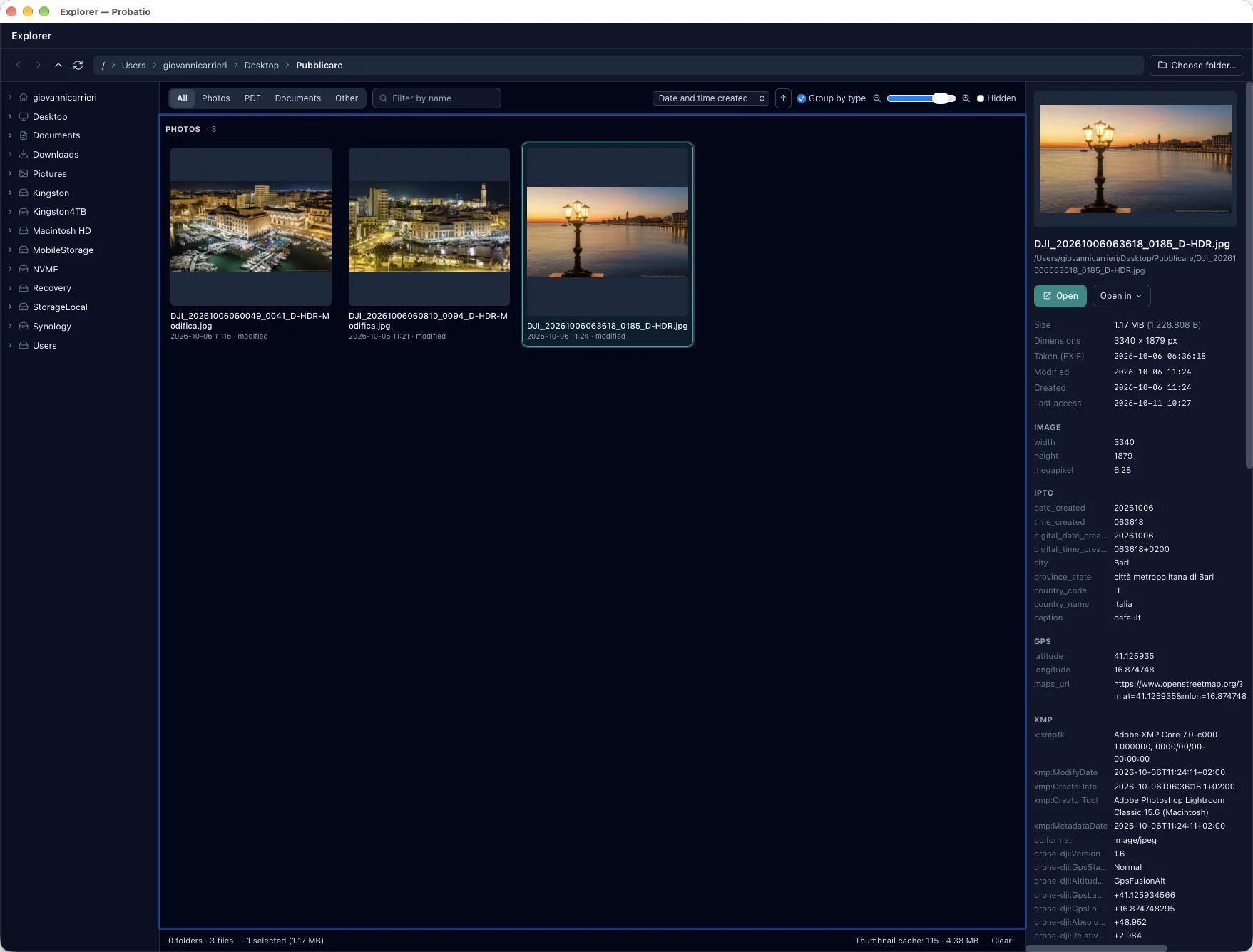
Thumbnails of photos, PDFs and documents
Photos, RAW and HEIC included; PDFs; Word and other office documents, with the thumbnail saved by the program or a page rebuilt from title, author and text. They are made in the isolated helper and kept in the app's data.
Content date
The date written inside the file: capture for photos, creation for PDFs and documents, recording for video and audio, sending for emails. Files that declare none are sorted by modification date, and under each thumbnail the source of the date is shown.
Sort, group, filter
Sort by name, content date, modification date, creation date, size or type, also reversed. Group by type splits the grid into sections with counts (Photos, PDFs, Documents, Email, Video, Archives…); filters isolate Photos, PDFs, Documents or Other and search by name.
Every file in the right module
A double click opens photos in the Image viewer, PDFs in the reader, emails and archives in their own windows, E01/DD forensic images in the verification, executables in Code signing, everything else in File analysis.
Every action on right click
Hashes, verification, checksum files, timestamp, analysis, signature, email and PEC, comparison of two files (PDF comparison when both are PDFs), copy path, show in Finder or File Explorer. On folders: scan, manifest, duplicates, BagIt.
Folder statistics
Selecting a folder shows the total size, the number of files (hidden ones included) and subfolders, and the breakdown by type with count, space used and extensions (“Photos 52 — png 49 · jpg 3”). The count walks every level in the background, with a progress bar.
Details and a separate window
File-system dates, content date and metadata of the selected file. Explorer also opens in a window of its own: actions launched from there open the modules in the main window.