
Full metadata
Container, streams, tags, chapters, rotation and colour from FFprobe, with packets counted; MP4/MOV boxes read by Probatio, with the movie and track creation dates.
The Video analysis module reads a recording without altering it and extracts the data an examination needs: full container and stream metadata, the index of every frame with its cadence and time gaps, the device that recorded it with the source of each item, drone and action-cam telemetry on a map, and the Forensic tab with continuity and consistency checks. The result becomes a PDF report. FFmpeg, built by us as LGPL, runs isolated: no network and writes only to its own working folder.
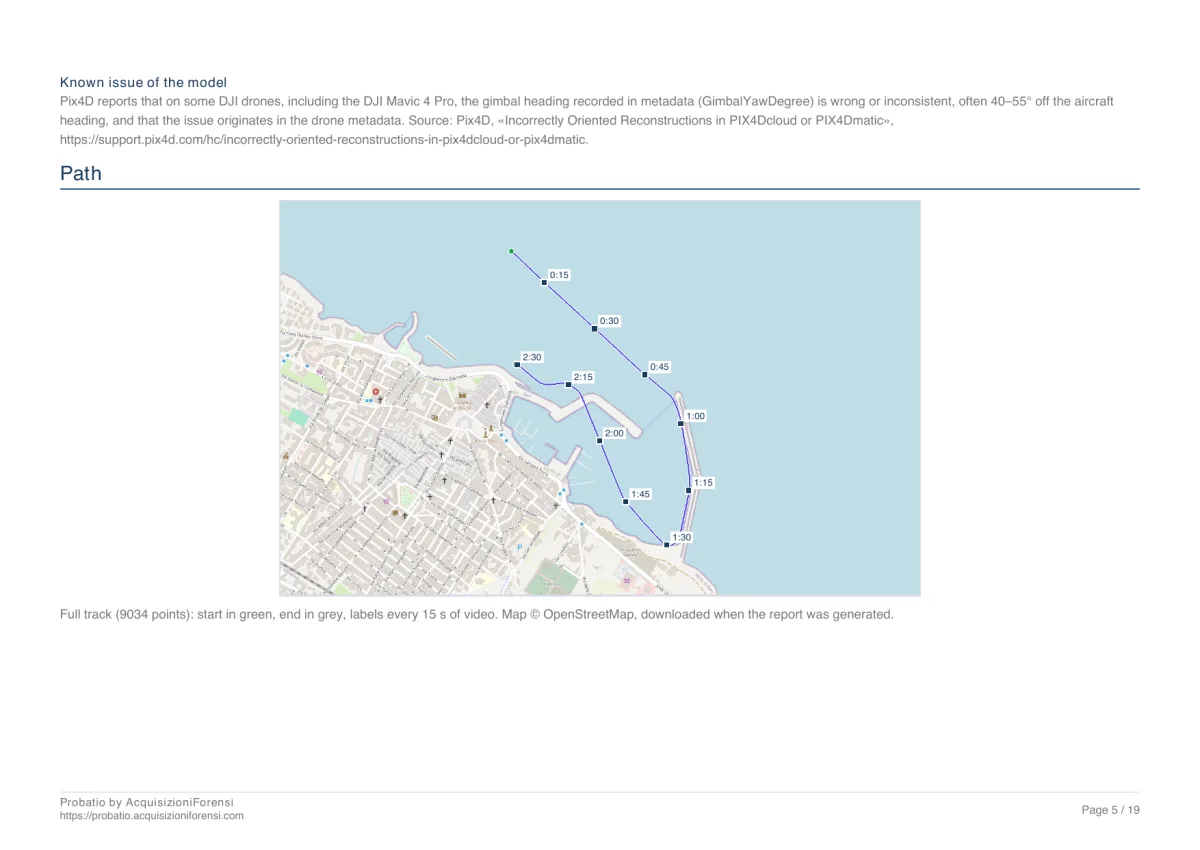
The PDF report of a 2 minute 30 second flight: device, file and container, frames, telemetry with map and altitude profile, second-by-second log, streams and MP4 boxes. The drone serial number was redacted with Probatio's redaction, which removes the text from the file instead of covering it.
Download the sample PDF · 2,1 MB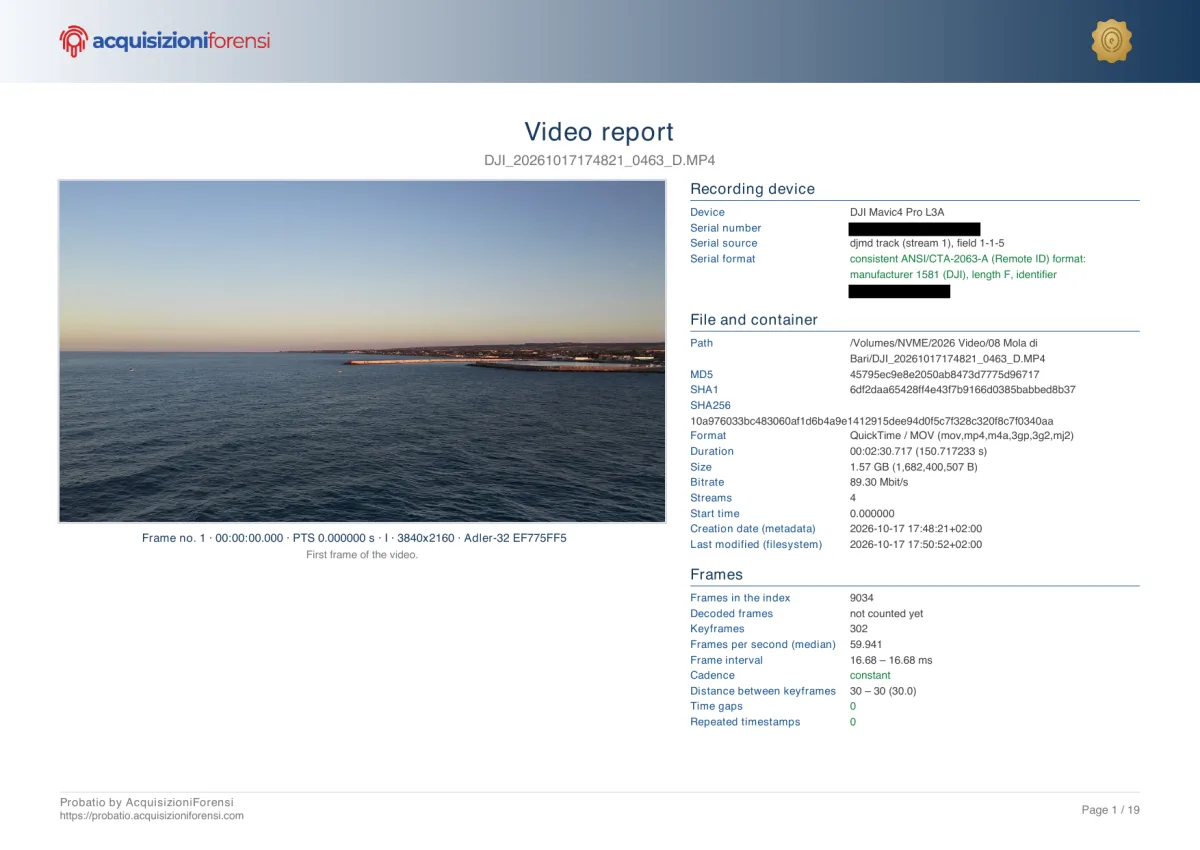
Container, streams, tags, chapters, rotation and colour from FFprobe, with packets counted; MP4/MOV boxes read by Probatio, with the movie and track creation dates.
Every frame in presentation order: constant or variable cadence, keyframe groups, time gaps with the estimated missing frames, repeated timestamps, bitrate per second. Counting by decoding too, and the MD5 of every decoded frame (framemd5).
Make, model, serial number and firmware where the file carries them (DJI, GoPro, Fujifilm, Apple, Android), each with the source it is read from. The DJI serial is recognised according to the ANSI/CTA-2063-A standard.
From the DJI internal track (djmd, one sample per frame with position, altitudes, aircraft and gimbal attitude), DJI SRT files, GoPro GPMF, GPX, KML and CSV: path, altitude profile, values and table. An SRT next to the video opens by itself and is checked against the video before being trusted.
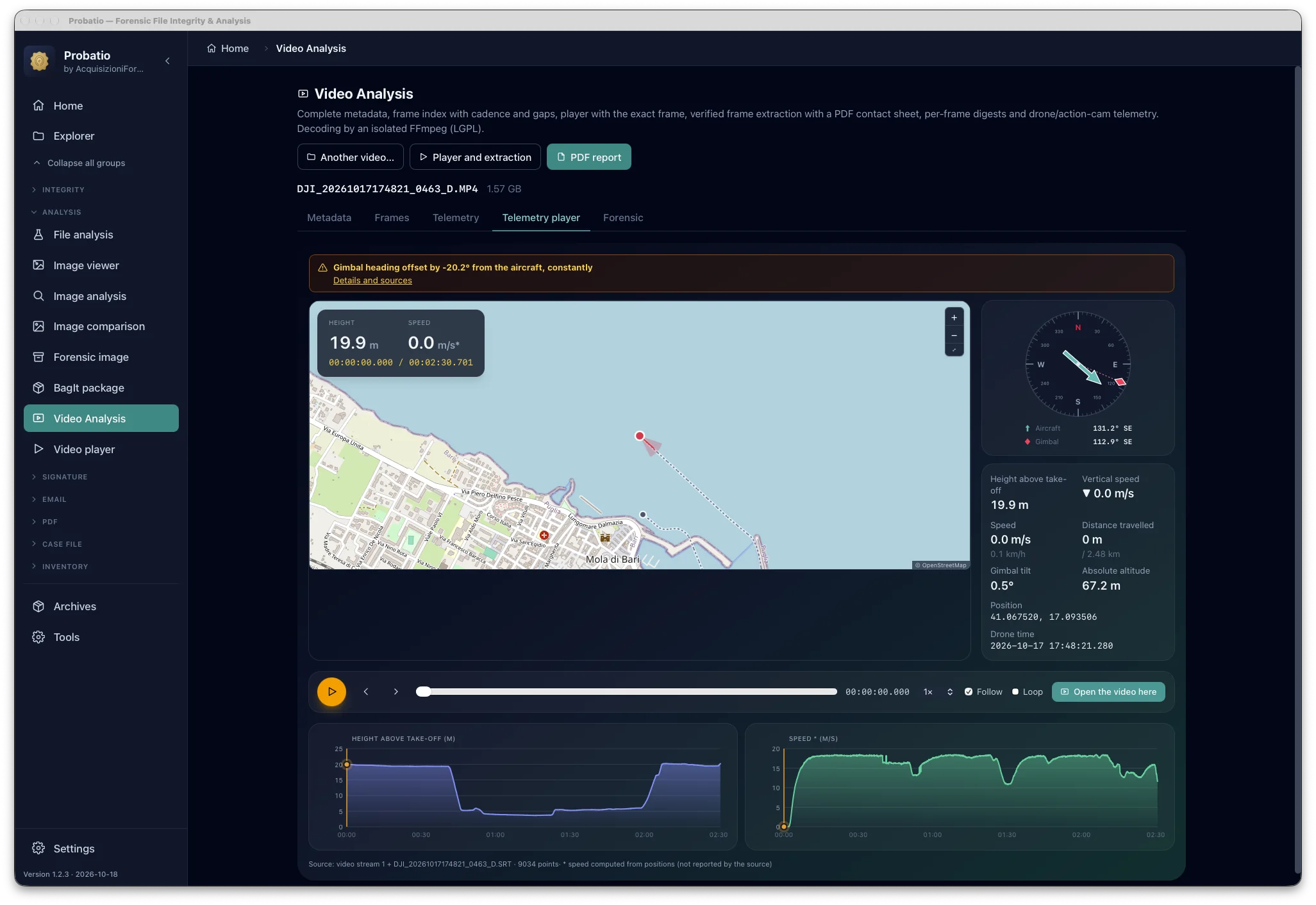
The flight is replayed without opening the video: the point moves across the map, the compass shows aircraft and gimbal, alongside height, speed, distance travelled, gimbal tilt, position and drone time, and below the height and speed charts with the cursor. Variable-speed playback, “Follow” and loop; “Open the video here” takes the Video player to that instant.
If throughout the video the declared gimbal heading departs from the aircraft heading, Probatio flags it without correcting the value: on some DJI drones the gimbal value in the metadata is wrong, and the check is made on the image. The warning appears in the tab, in the report and in the band of extracted frames.
Continuity of internal counters and SRT files, off-cadence keyframes, audio-video sync, duplicated frames, comparison with other videos from the same device, signs of double compression, timestamps compared, sun position and shooting geometry. DJI checks are added when relevant, not required.
A stretch of the video is copied with -c copy, without re-encoding, and the copied packets are compared with the original ones.
On the first page the first frame with visual content (initial black frames are skipped and declared) next to the file data; then metadata, device, telemetry with path map, altitude profile and second-by-second log, integrity and consistency, and the method at the end.
djmd) and SRT files, from GoPro through GPMF, and from GPX, KML and CSV files. An SRT is checked against the video before use.